Picshiner - AI Photo Editor
- 3.1
- Rating
- 10.00M
- Installs
- Free
- Price

 Analysis by App-foxy
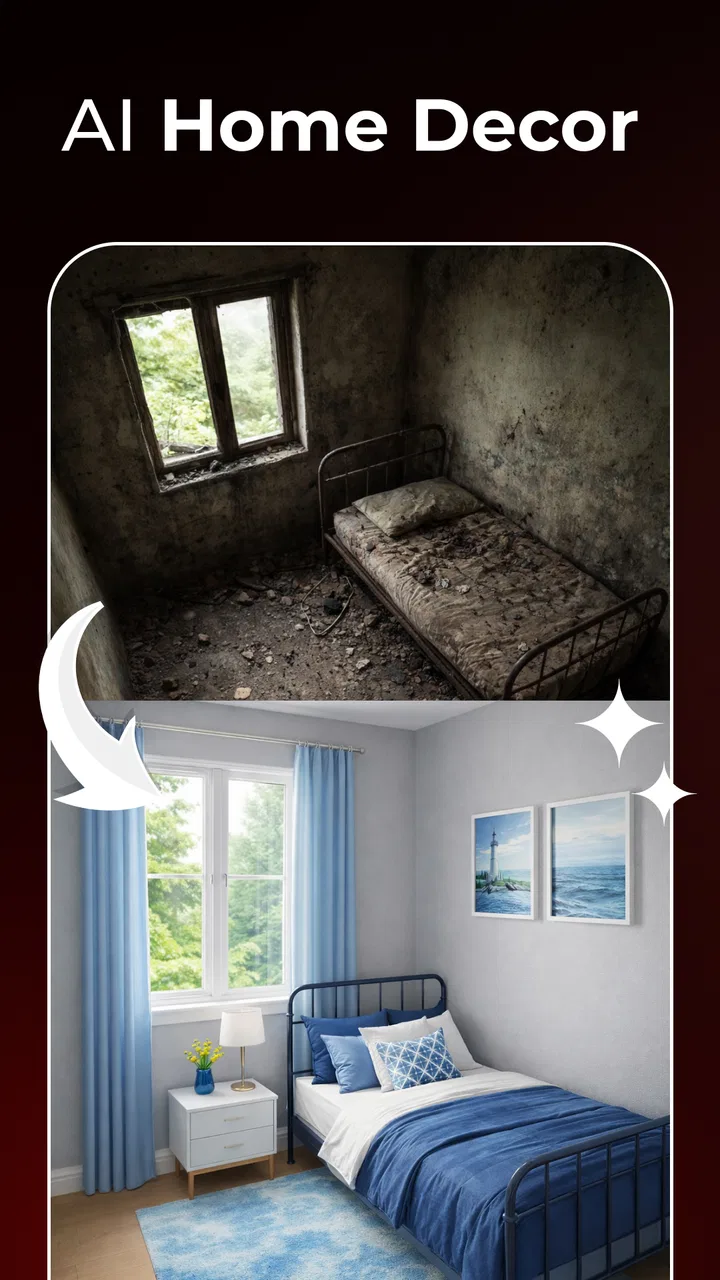
I found Picshiner most interesting as a quick image tool for a shared household device rather than as a complete replacement for a serious photo editor. Its focus is straightforward: improve, restore, and transform pictures with AI-assisted editing. That makes it useful when someone wants to rescue an old family photo, brighten a dim snapshot, or try a more stylized result without learning a complicated desktop program.
The app sits in the Art & Design category and is developed by AdoreApps Media. It is free to install, carries an Everyone age rating, and works on Android devices running version 7.0 or later. Its reach is already substantial, with over 10 million installs, although its average score is 3.1 from around 32 thousand ratings. I read that combination as a reason to try it with realistic expectations: plenty of people are using it, but the experience is not universally smooth or satisfying.
How Picshiner fits into a shared household
A believable use case is a family tablet kept in the living room. One person may want to sharpen a scanned photograph of a grandparent, another may want to make a profile picture, and a child may simply want to experiment with colors or creative effects. Picshiner can serve all three purposes because it brings enhancement and transformation into one place instead of requiring separate specialist apps.
You May Also Like

 Pandora - Music & Podcasts
Pandora’s Music Is Easy to Start, but Harder to Recover
Pandora’s strength is its low-effort path from a seed to a station. Its weak spot is how much confidence it asks you to place in connection, setup, and quiet recovery.

 8 Ball Pool
 Is Built on Rivalries, Rematches, and Routine
A close look at the rivalries, rematches, shared routines, and unanswered safety questions that turn a quick pool match into a persistent mobile community.

 Samsung Music
’s Quiet Strength Is Playing What You Already Own
Its reach comes less from spectacle than from dependable access to a personal library. That simplicity is both the app’s strongest retention engine and its ceiling.

 AccuWeather: Weather Radar
AccuWeather Review: A Quick, Clear Forecast for Everyday Decisions
For everyday plans, the best forecast is the one you can understand quickly. AccuWeather makes rain timing, radar, and local conditions easy to act on, with a few trade-offs.

 Hill Climb Racing
Why Hill Climb Racing Still Turns Crashes Into One More Run
A tiny car, a bumpy hill and one more upgrade: Hill Climb Racing keeps resurfacing because its simple chaos makes every near-miss feel personal.

 AliExpress - Shopping App
AliExpress Makes Global Shopping Feel Personal, but Shoppers Bear the Risk
AliExpress turns a global marketplace into a pocket-sized discovery engine. Its reach is useful, its shopping loop compelling, and its trade-offs easy to miss.
More From Our News Desk
View All News


In my experience, the biggest advantage in that situation is immediacy. A person who does not understand layers, masks, curves, or manual retouching can still begin with a photo and see what an automated treatment does. That is especially helpful for occasional users who do not want to spend an evening learning a conventional editor just to fix one image.
The trade-off is that a shared device can make the editing process feel less personal. A photo may be selected by one household member, edited by another, and saved without a clear explanation of what changed. I would treat the app as a creative workspace, not as a permanent family archive. Important originals should remain stored separately, and edited copies should be given recognizable names before anyone else starts experimenting.
That simple habit matters with restoration work. An AI-enhanced image can look more visible while also becoming less faithful to the original. Faces, hair, tiny text, and background details are the areas I would inspect most carefully. If the picture has sentimental or documentary value, I would keep the untouched scan and compare it with the result before sharing the edited version.
What the first editing session feels like
The appeal of Picshiner is easy to understand from its basic workflow. You bring in an image, choose the kind of improvement or transformation you want, and judge the result visually. This is much less intimidating than opening an advanced editor filled with technical controls. For a quick social image or a casual family project, that lower barrier is a genuine strength.
Still, automated editing is not the same as intelligent judgement. The strongest result will depend on the starting picture. A clear portrait with reasonable lighting gives the app more to work with than a tiny, heavily compressed image. A faded photograph may benefit from increased clarity, but aggressive processing can also make skin look artificial or introduce details that were never visible in the source.
My practical advice is to test a modest improvement before trying a dramatic transformation. If the first result already looks too smooth, too sharp, or strangely detailed, pushing the effect further is unlikely to make it more natural. The app is better approached as a fast suggestion engine: it gives you a direction, and you decide whether the result is believable enough to keep.
For everyday use, I would also edit one photo at a time instead of sending a whole collection through the same treatment immediately. That makes it easier to notice whether an effect works for a particular image type. A setting that looks attractive on a landscape may be unkind to a face, while a restoration approach suitable for a faded print may be unnecessary for a modern camera photo.
Boundaries worth setting before others use it
Picshiner is free to install, but it includes in-app purchases priced from $2.99 to $43.99 per item. That range is important in a shared-device setting, especially when several people use the same phone or tablet. I would decide in advance who is allowed to approve purchases and make sure younger users understand that tapping an appealing option may lead to a paid choice.
I would also establish a simple editing rule: never overwrite the only copy of a meaningful photograph. Even when an app makes the process feel reversible, a household benefits from keeping the original in a separate gallery or backup location. This is not a criticism unique to Picshiner; it is simply good practice when automated tools can make substantial changes with very little effort.
Another useful boundary is to separate experimentation from presentation. A child might enjoy turning a family picture into a fantasy-style image, while an adult may want a natural restoration for printing. Both goals are legitimate, but they should not be confused. I would label playful versions clearly so that nobody later mistakes them for the accurate family record.
There is also a privacy conversation to have before using personal images on a shared device. I would avoid editing sensitive documents, private medical images, or photographs that another person would not expect to be handled casually. Picshiner is designed for pictures, but convenience should not remove ordinary consent and care inside the household.
Coordinating edits without built-in family assumptions
For a family project, coordination matters more than people might expect. Suppose one person is preparing a birthday collage while another is restoring older photographs. Without a small amount of organization, the gallery can quickly fill with several versions that look almost identical. I recommend agreeing on a naming pattern outside the app, such as adding “original,” “restore,” or “creative” to the filename when saving or exporting a result.
A shared album can also help, but I would use it as a review area rather than as the only storage location. The person responsible for the final image can compare the edited version with the original, ask whether the change looks natural, and remove failed experiments later. This workflow is particularly useful when several relatives have different opinions about how much restoration is appropriate.
Picshiner is a good fit for that back-and-forth because the visual result is easy to discuss. Someone can say that a portrait looks clearer, that a background has become distracting, or that a creative effect no longer resembles the person in the photograph. The app lowers the technical barrier, but human agreement still decides whether the image is actually successful.
What I would not do is let the app become the only place where household members understand the state of a project. Keep a simple note about which image is the original and who is preparing the final version. That may sound excessive for a single picture, but it prevents confusion when a shared device contains multiple attempts from different people.
Age, trust, and the Everyone rating
The Everyone rating makes Picshiner approachable for a broad household audience. I can see it working for supervised creative exploration, school-style art activities, or a young user who wants to change the look of a picture. The visual nature of the app is easier to understand than a technical editing suite, and the quick results can make image-making feel playful rather than intimidating.
That rating should not be treated as a substitute for adult guidance. The important issues here are not only the visual effects themselves, but also which photographs a child selects, whether the image belongs to someone else, and whether a paid option is chosen accidentally. On a shared phone, I would introduce the app with a short conversation about asking before editing another person’s photo and checking before sharing a result.
Trust is especially relevant when the app is used for portraits. A young person may not recognize that an exaggerated transformation can embarrass a friend or relative if it is circulated without permission. I would encourage experimentation on personal pictures, illustrations, or images made for that purpose, while keeping other people’s faces within clear household rules.
For older relatives, the app can be valuable in a different way. Someone who finds traditional editors confusing may be able to improve a faded picture through a simpler guided process. I would still sit with them during the first session, not because the tool is necessarily difficult, but because the difference between a natural restoration and an overly processed result is easier to judge together.
Where it beats ordinary alternatives
Compared with a standard gallery editor, Picshiner is more ambitious. Basic phone tools are usually excellent for cropping, rotating, adjusting exposure, and applying familiar filters, but they do not aim to restore or transform an image in the same way. If the problem is simply that a picture is too dark, the built-in editor may be quicker. If the picture is old, blurry, or creatively limited, an AI-focused tool is more interesting.
Compared with a full professional editor, Picshiner is much less demanding. A desktop application offers finer control and more dependable precision, especially for print preparation, careful retouching, or work where every alteration must be explained. The cost of that control is time and a steeper learning curve. I would choose Picshiner for a fast household result and a traditional editor when the image has professional, legal, archival, or highly personal importance.
It also differs from a social filter app. Social tools are often built around immediate sharing and recognizable effects, while Picshiner’s combination of enhancement and restoration makes it more useful for improving an existing photograph. That does not mean every transformation will look realistic. It means the app has a wider purpose than simply adding a decorative overlay.
The 3.1 average rating is a useful reminder not to expect every automated result to be excellent. AI editing can be impressive on one image and disappointing on another, and the result may not match what the user imagined from a short description. I would judge it by whether it saves time on the particular photos I care about, not by assuming that its broad install base guarantees consistent output.
Practical workflows I would actually use
For an old family print, I would first photograph or scan the print as evenly as possible, keep that untouched copy, and then use Picshiner to explore a restrained restoration. I would inspect eyes, hair, clothing edges, and small background objects before deciding that the image is ready to share. If the result looks cleaner but less authentic, I would keep the original as the archival version and use the edited copy only for casual viewing.
For a profile image, I would begin with a well-lit photo and avoid stacking several dramatic treatments. A single clear improvement usually looks more convincing than a series of effects applied one after another. I would also ask whether the image needs enhancement at all; sometimes a crop and a small brightness adjustment in the regular gallery editor produce a more natural result.
For a child’s creative project, I would use a duplicate rather than a personal original and make the goal explicit: explore ideas, compare versions, and save the favorite separately. This turns the app into a small lesson in visual judgement. The child can see that “more intense” is not automatically “better,” while the household avoids losing a meaningful photograph.
For a shared event, such as preparing images after a birthday, I would appoint one person to review the final versions. Everyone can suggest edits, but one person should decide which copy is suitable for the family album. That keeps the app’s fast experimentation from turning into an endless collection of near-duplicates.
Performance expectations and everyday friction
The current version is 1.0.112, and the broad device compatibility is helpful for older household phones that still run Android 7.0 or later. That makes the app easier to consider for a spare device or family tablet rather than limiting it to the newest hardware. Even so, AI-oriented processing can feel more demanding than ordinary cropping or color correction, so I would avoid judging the whole experience from one rushed session on a busy device.
The main friction is not learning the basic idea; it is deciding whether the generated result deserves trust. Automated enhancement can encourage users to accept a polished-looking image without checking whether the details remain plausible. That is why I see comparison as part of the workflow, not as an optional extra. Always look at the edited image beside the source, particularly when restoring faces or objects that carry emotional meaning.
The purchase structure is another point where patience helps. Since individual in-app items can range from $2.99 to $43.99, I would not approve a purchase simply because a result looks promising in a preview. On a shared device, the person paying should understand exactly what is being selected and whether the household actually needs it. A free starting point is useful, but it does not mean every desirable outcome will remain cost-free.
Users who need dependable batch processing, detailed manual controls, or a carefully repeatable professional workflow may become frustrated. Picshiner’s appeal is speed and accessibility, not the kind of granular control expected from a specialist editor. Likewise, someone who only wants basic cropping and brightness changes may find the extra AI emphasis unnecessary.
My household verdict
I would recommend Picshiner for a household that wants an approachable way to improve and reinterpret photographs, especially when different users have very different levels of editing experience. It is a sensible option for quick restorations, casual portraits, and creative experiments on a shared Android device. The Everyone rating and free installation make it easy to try, while the broad install base suggests that it has found an audience beyond dedicated design enthusiasts.
I would not make it the sole tool for preserving important family images. Keep originals outside the editing workflow, review AI changes carefully, and agree on purchase boundaries before children or guests use the device. Those steps are more important than chasing the strongest possible effect, because a technically impressive result can still be the wrong result for a treasured photograph.
My final view is favorable but measured: Picshiner is best when convenience matters more than perfect control. It gives occasional editors a quicker path to restoration and creative changes than a traditional professional program, yet it still requires a human eye. For a shared household, that balance works when people coordinate, respect ownership of photos, and treat every generated image as an edited copy rather than unquestionable truth.
FAQs for Picshiner - AI Photo Editor
01What features does Picshiner - AI Photo Editor offer?
Picshiner - AI Photo Editor is packed with features that enhance your photos using AI technology. It includes tools for automatic retouching, background removal, and color correction. Additionally, it offers creative filters, facial recognition for portrait enhancements, and advanced cropping tools, making it ideal for both casual users and professionals.
02Is Picshiner available for both Android and iOS devices?
Yes, Picshiner - AI Photo Editor is available for download on both Android and iOS platforms. You can find it on the Google Play Store for Android devices and the Apple App Store for iOS devices, ensuring a wide accessibility for all smartphone users.
03Does Picshiner require an internet connection to function?
Picshiner - AI Photo Editor primarily functions offline, allowing users to edit photos without an active internet connection. However, certain features, like cloud storage access and some AI-driven tools, may require internet connectivity to operate efficiently and provide the best results.
04Are there any subscription fees or in-app purchases in Picshiner?
Picshiner offers a free version with basic features, but to unlock advanced tools and filters, a premium subscription is available. The subscription provides access to exclusive content and regular updates. Users can choose between monthly or annual plans, depending on their editing needs.
05How user-friendly is Picshiner for beginners?
Picshiner is designed with a user-friendly interface that caters to both beginners and experienced users. Its intuitive layout allows easy navigation, and helpful tutorials guide users through each feature. This ensures that even those new to photo editing can achieve professional-quality results with minimal effort.
Pros
- Intuitive user interface for easy navigation.
- Advanced AI features enhance photo quality.
- Wide range of filters and effects.
- Quick processing with minimal lag.
- Regular updates with new features.
Cons
- Limited free version features.
- Requires a stable internet connection.
- Some features need in-app purchases.
- Occasional crashes on older devices.
- High battery consumption during use.

Picshiner - AI Photo Editor
Gallery